
Understanding Mechanical Switch Types for Typists
Overview of Mechanical Switch Types
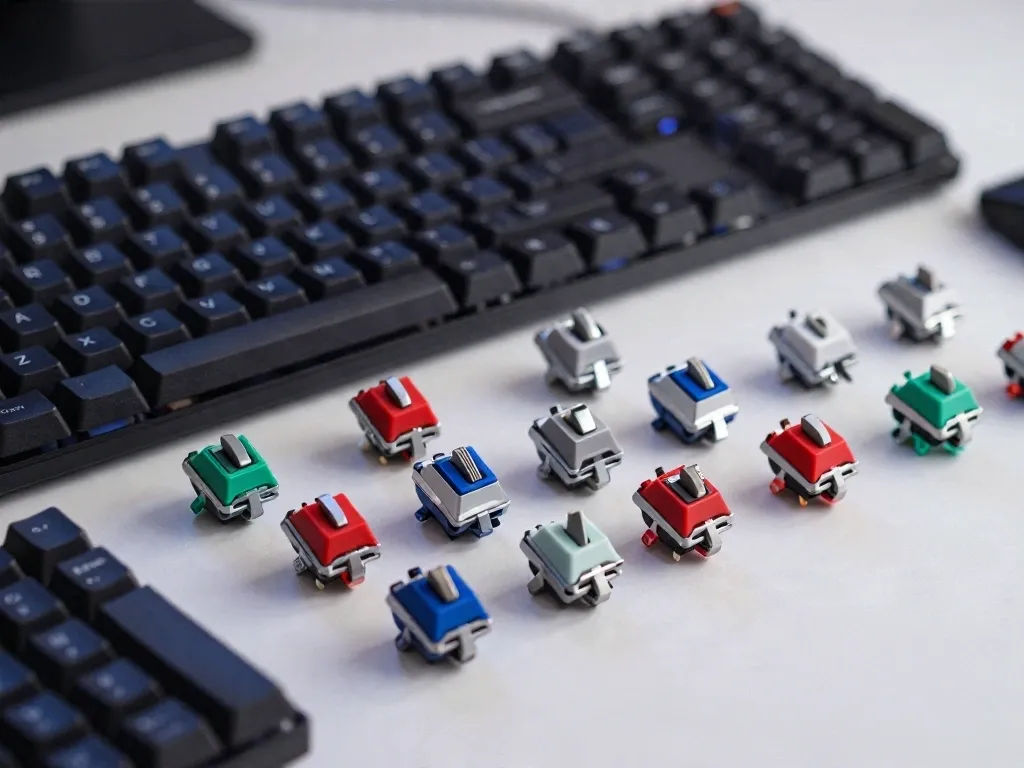
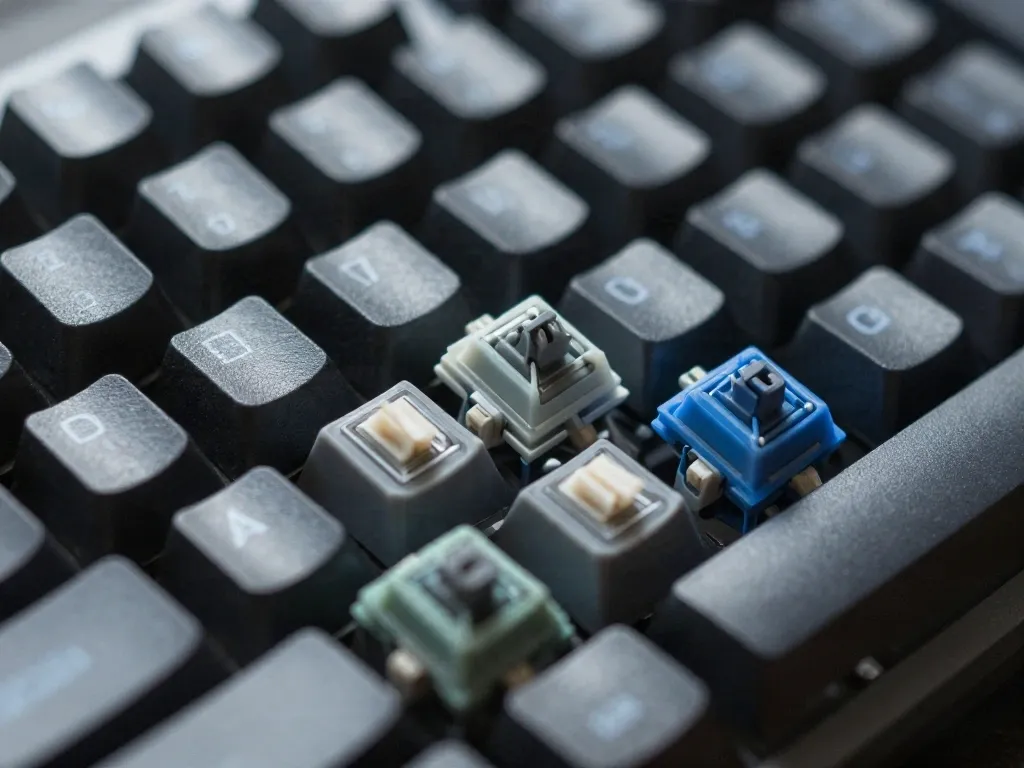
Mechanical keyboards have gained immense popularity among typists due to their distinct tactile feedback and customizable features. At the core of these keyboards are mechanical switches, which are crucial in defining the typing experience. Mechanical switches can be broadly categorized into three main types: linear, tactile, and clicky. Each type offers unique characteristics that cater to different typing preferences.
Characteristics of Linear, Tactile, and Clicky Switches
- Linear Switches: These switches provide a smooth keystroke without any tactile bump or audible click. Linear switches, such as the Cherry MX Red, require a consistent force throughout the key press, making them ideal for rapid typing. The actuation point is typically around 2mm, with a total travel distance of 4mm.
- Tactile Switches: Tactile switches, like the Cherry MX Brown, feature a noticeable bump at the actuation point. This tactile feedback allows typists to feel when a key has been engaged, which can enhance typing accuracy. The actuation force for tactile switches often ranges between 45g to 55g.
- Clicky Switches: Clicky switches combine tactile feedback with an audible click sound at the actuation point. Examples include the Cherry MX Blue switch. These switches are favored by typists who appreciate audible feedback while typing, with an actuation force of about 50g and a travel distance similar to tactile switches.
How Switch Types Affect Typing Experience
The type of switch used in a mechanical keyboard significantly affects the overall typing experience. For instance, typists who prefer a quiet environment might lean towards linear switches to minimize noise, while those who enjoy the feedback of a click may find clicky switches more satisfying. Tactile switches strike a balance between the two, offering both feedback and relative quietness. Understanding these nuances can help typists choose the right switch based on their personal preferences and typing style.
Key Factors in Choosing Switches for Typing
Actuation Force and Its Importance
Actuation force refers to the amount of pressure required to register a keystroke. This force is measured in grams (g) and can range significantly across different switches. For typists, selecting the appropriate actuation force is crucial, as it can impact typing speed and comfort. Generally, lighter switches (around 45g) can facilitate faster typing speeds, while heavier switches (50g and above) may provide more control and reduce accidental key presses.
Travel Distance: What You Need to Know
Travel distance is the distance a key travels from the resting position to the bottom of the key press. Most mechanical switches have a total travel distance of around 4mm, with an actuation point typically at 2mm. A shorter travel distance can lead to quicker key presses, which is beneficial for fast typists. However, some typists prefer a longer travel distance for a more deliberate typing experience, allowing them to avoid typos.
Feedback: Sound vs. Feel in Typing
Feedback during typing can be divided into two categories: sound and feel. Sound refers to the auditory feedback provided by the switch, while feel pertains to the tactile sensation experienced during a keystroke. Some typists prefer the audible click of clicky switches, which can enhance confidence in key presses, while others may find it distracting, opting instead for the silent operation of linear switches. Tactile switches may offer a compromise, providing both sound and feel without being overly loud.
Top Mechanical Switches for Typists
Cherry MX Switches: A Classic Choice
Cherry MX switches are arguably the most recognized mechanical switches on the market, offering a variety of options tailored for different preferences. The following are notable Cherry MX switches for typists:
- Cherry MX Red: A linear switch known for its smooth keystrokes, making it a favorite among gamers and fast typists.
- Cherry MX Brown: A tactile switch that provides a subtle bump, balancing feedback and quiet operation, ideal for office environments.
- Cherry MX Blue: A clicky switch that offers both tactile feedback and an audible click, favored by typists who enjoy a satisfying typing experience.
Gateron Switches: Budget-Friendly Alternatives
Gateron switches are a popular choice among budget-conscious typists looking for quality alternatives to Cherry MX switches. They are known for their smooth operation and similar characteristics, with several options available:
- Gateron Red: Comparable to Cherry MX Red, this linear switch offers a smooth and quiet typing experience.
- Gateron Brown: Similar to Cherry MX Brown, this tactile switch provides an excellent balance of feedback and noise.
- Gateron Blue: Like Cherry MX Blue, this clicky switch offers both tactile feedback and an audible click, making it enjoyable for those who prefer a pronounced typing response.
NovelKeys and Other Specialty Switches
For typists seeking something unique, NovelKeys and other manufacturers offer specialty switches that cater to specific preferences. Some noteworthy options include:
- NovelKeys Cream: A linear switch known for its smoothness and a unique sound profile, offering a different experience from traditional switches.
- Holy Panda: A tactile switch that has gained a cult following for its pronounced bump and satisfying feel, perfect for typists who prioritize feedback.
- Zealios: Known for their buttery smoothness and various actuation forces, Zealios switches are a favorite among enthusiasts looking for high-quality tactile feedback.
Comparative Analysis of Popular Switches
Typing Speed and Accuracy Across Different Switches
When considering typing speed and accuracy, the choice of switch can play a significant role. Studies and anecdotal evidence suggest that linear switches, such as Cherry MX Red or Gateron Red, can facilitate faster typing speeds due to their smooth keystrokes. In contrast, tactile switches like Cherry MX Brown may provide slight advantages in accuracy, as the tactile feedback allows typists to feel when a key has been actuated, reducing the likelihood of accidental presses.
Clicky switches, while enjoyable for many, can sometimes slow down typing speed due to the need for conscious pressure to avoid fatigue from the sound and feel of the click. Ultimately, the best switch for speed and accuracy will depend on the individual typist's style and preferences.
Durability and Lifespan of Mechanical Switches
Mechanical switches are generally built to last, with most rated for about 50 million keystrokes. However, the durability can vary among different brands and types. Cherry MX switches are known for their reliability and longevity, while Gateron switches also offer impressive durability at a lower price point. Specialty switches, such as those from NovelKeys or Zealios, may vary; however, many enthusiasts report excellent performance and longevity.
When selecting a switch, it’s essential to consider not only the feel and sound but also the expected lifespan of the switch, especially for heavy typists who may put their keyboards through rigorous use.
Personal Preferences: User Reviews and Experiences
User experiences often highlight the subjective nature of switch selection. For instance, some typists swear by the tactile feedback of Cherry MX Brown switches, claiming they enhance their typing experience by providing reassurance with every keystroke. Others prefer the linear feel of Gateron Reds for their smoothness and speed.
Clicky switches like the Cherry MX Blue may attract typists who enjoy the auditory aspects of typing, but they can also be polarizing due to their noise. Forums and typing communities often share personal anecdotes that illustrate how individual preferences can lead to different conclusions about the "best" switch, reinforcing the importance of trying out switches before making a purchase.
Customizing Your Mechanical Keyboard for Optimal Typing
Switch Lubing: Enhancing Performance
Switch lubing is a popular modification among mechanical keyboard enthusiasts. Applying lubricant to the moving parts of the switch can reduce friction, resulting in smoother keystrokes and a quieter typing experience. Products like Krytox or Tribosys are commonly used for lubing switches and can significantly enhance the overall performance, especially for linear switches that may feel scratchy without lubrication.
However, lubing requires a certain level of technical skill and can be time-consuming. For typists looking to improve their experience without the hassle, pre-lubed switches are available from some manufacturers.
Keycap Selection: Impact on Typing Feel
Keycap material and profile can also significantly influence the typing experience. Keycaps are typically made from either ABS or PBT plastic, with PBT being more durable and resistant to wear over time. The profile of the keycap—such as SA, DSA, or Cherry—can also affect how comfortable and ergonomic the keyboard feels during extended typing sessions.
Choosing keycaps that suit your typing style can enhance the overall feel. For instance, taller keycaps may provide more surface area for finger placement, while lower profiles can lead to quicker key presses.
Building a Customized Typing Profile
Creating a customized typing profile entails selecting the right combination of switches, keycaps, and keyboard layout to match your personal preferences and typing style. Some typists may prefer a full-sized keyboard for the additional keys, while others may favor a tenkeyless design for portability.
Additionally, utilizing software to customize key mappings and macros can optimize your workflow, allowing for improved efficiency in typing tasks. By taking the time to build a personalized setup, typists can significantly enhance their overall comfort and productivity.

Comments
No comments yet.
Leave a comment